🌸 Find Your Perfect Flower
Answer a few simple questions and discover a flower that matches your style, preferences, and special occasion.
Your Perfect Flower 🌸
Do you open your tablet fifty times a day and get tired of seeing the same dull screen? In a matter of minutes, a fresh tablet flowers wallpaper can alter it all. This pretty floral background will give your tablet a bit more color and personality, and is a nice addition to your screen.
Whether you’re looking for soft daisies or roses, colorful wildflowers or simple botanical designs, there’s plenty of options to choose from. We will learn about various styles, sizes, colors of tablet wallpaper as well as some of the easiest methods for creating tablet wallpapers or picking one that will be a great choice.
What Are Tablet Flowers Wallpapers?
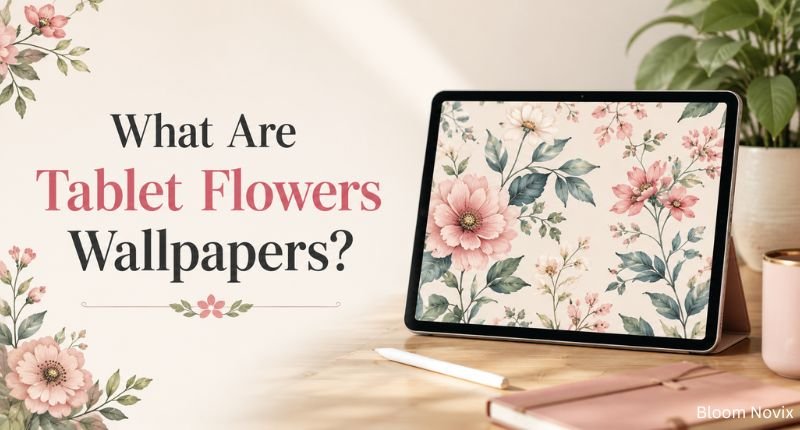
Tablet flower wallpapers are just flower pictures designed in a manner that they are visually appealing on tablet displays. There are a wide range of examples including flower photographs, watercolor paintings, basic botanical sketches and repeating designs.
Tablets have bigger screens than phones and can be used in portrait or landscape mode. Therefore, the wallpaper should be good in both the positions without any awkwardly cropped images.
Some floral wallpapers come with individual versions of the design in each orientation. The landscape version can be approx. 2732 x 2048, and the portrait version can be approx. 2048 x 2732. You’ll want to view the dimensions beforehand to ensure that your image fits your tablet.
Why Choose Floral Wallpaper for a Tablet?
Flowers make any screen feel warmer. They also match almost any app icon set. A simple bloom can turn a boring device into something you enjoy looking at. If you prefer a cooler, more peaceful look, blue flowers are especially worth exploring for their calming feel and symbolism.
Here is why so many users pick floral designs:
- Personal touch: Your tablet feels like yours, not a generic device.
- Style range: You get options from vintage roses to modern abstract petals.
- Calming effect: Soft colors ease eye strain during long work hours.
- Mood boost: Bright flowers lift your mood every time you unlock the screen.
- Flexible aesthetic: Floral art suits minimal, cottagecore, and romantic themes alike.
Most guides miss out on this one: Floral wallpapers also boost productivity. When the background is not as chaotic, apps are easily identifiable. Designers who study screen ergonomics often recommend soft, low-contrast florals for work tablets, and busy, bright florals only for personal devices.
Popular Tablet Flowers Wallpaper Styles
There is no single best style. Your pick depends on your mood and how you use your tablet.
1. Minimalist Floral Wallpapers
Minimal designs use one or two flowers on a plain background. They keep your screen clean and easy to read.
Cream, sage green, and soft pink work best here. This style suits people who want a distraction-free home screen.
2. Daisy Tablet Wallpapers
Daisies feel fresh and cheerful. A single daisy stem or a light daisy pattern adds charm without noise.
Neutral daisy tones also work for professional tablets. They look playful yet still simple enough for office use.
3. Rose Flower Wallpapers
Roses flower give a tablet an elegant, romantic look. A close-up rose photo often becomes the main focal point.
Deep red roses feel dramatic. Pale pink roses feel soft and gentle. Pick the shade based on your personal taste.
4. Watercolor Flower Wallpapers
Watercolor florals feel artistic and hand-painted. The soft brushstrokes make your tablet feel like a digital sketchbook.
Lavender, peach, and blue watercolor tones are the most popular. They pair well with pastel app icons too.
5. Vintage Floral Wallpapers
Vintage flowers suit users who love old-style interiors and antique art. Think muted greens, dusty pinks, and cream backgrounds.
This style works great with stationery-style digital planners. It also matches neutral tablet cases well.
6. Dark Floral Tablet Wallpapers
Dark backgrounds with bright flowers create bold contrast. Black, navy, and charcoal shades make petals pop.
This style suits users who prefer a sleek, modern look. It also saves battery on OLED tablet screens.
7. Botanical and Greenery Wallpapers
Leaves, vines, and herbs bring a natural feel without heavy blooms. This style suits nature lovers who want subtle detail.
Greenery wallpapers also pair well with plant-based app widgets and journaling tools.
How to Choose the Best Wallpaper for Tablet Flowers
Picking a pretty image is not enough. The wallpaper must also fit your screen and your daily habits.
1. Check Your Tablet’s Resolution
Every tablet brand uses different screen sizes. A wallpaper that fits an iPad may stretch badly on an Android tablet.
Here is a quick resolution guide for common tablets:
| Tablet Model | Screen Resolution | Best Wallpaper Orientation |
| iPad Pro 13-inch | 2752 x 2064 | Landscape & Portrait |
| iPad Air 13-inch | 2732 x 2048 | Landscape & Portrait |
| Samsung Galaxy Tab S9 | 2560 x 1600 | Landscape & Portrait |
| Lenovo Tab P12 | 2944 x 1840 | Landscape |
| Xiaomi Pad 6 | 2800 x 1752 | Landscape & Portrait |
Always match your exact model before you save any image. A wrong size causes blur or awkward cropping.
2. Consider Portrait and Landscape Orientation
Think about how you hold your tablet most often. If you read or scroll in portrait mode, pick a vertical wallpaper.
If you watch videos or draw in landscape mode, choose a horizontal design instead. Some wallpaper packs give you both, which saves you the guesswork.
3. Choose High-Resolution Images
A small image looks fine on a preview thumbnail. It often turns blurry once stretched across a full tablet screen.
Always download the highest resolution version available. This keeps every petal and leaf sharp and clear.
4. Think About Your App Icons
A busy floral image can hide your app icons. This makes your home screen harder to use every day.
Look for wallpapers with:
- Empty space near the edges
- A simple, uncluttered center
- Muted or soft tones
- Clear dark or light zones for icon visibility
Save your busiest floral art for the lock screen instead. Keep the home screen simple and functional.
Wallpaper Tablet Flowers: Where Should the Main Flowers Go?
Composition matters more than color choice. A flower placed right behind your app row can ruin the whole look.
Choose designs where blooms sit toward one side or along the edges. This leaves clean space in the middle for icons and widgets. Seasonal flower themes can work well too, such as yellow flower day, which brings a bright and cheerful feel without making the screen look too busy.
Wallpapers made specifically for tablets handle this better than random flower photos. Designers plan the layout around real screen use, not just visual beauty.
Best Color Palettes for Floral Tablet Wallpapers
Your color choice shapes the entire feel of your tablet. Some tones calm you down. Others energize your day.
Soft and Neutral
Cream, beige, blush pink, and sage green create a gentle, elegant look. This palette suits minimal home screens and reading apps.
Bright and Cheerful
Yellow, coral, turquoise, and purple bring energy to your screen. This palette works well for creative or casual tablet use.
Moody and Elegant
Black, burgundy, deep green, and plum give a bold, premium feel. This palette shines brightest on high-quality OLED displays.
| Palette Type | Best Colors | Ideal For |
| Soft & Neutral | Cream, sage, blush pink | Work tablets, minimal setups |
| Bright & Cheerful | Yellow, coral, turquoise | Casual and creative users |
| Moody & Elegant | Black, burgundy, plum | Modern, premium aesthetic |
How to Make Your Own Wallpaper for Tablet Flowers
You do not need to download a ready-made design. A simple photo editor lets you build your own floral tablet wallpaper.
Follow these steps:
- Find your exact tablet screen resolution.
- Open a design app and set the canvas to that size.
- Choose a flower photo, illustration, or pattern you love.
- Place the flowers away from where icons usually sit.
- Add soft textures or a short quote if you want extra style.
- Export the file as a high-quality PNG or JPG.
- Transfer it to your tablet and set it as wallpaper.
Real tip: Free tools like Canva and Photopea let you build tablet wallpapers without any design skill. Start with a free flower photo, resize the canvas to your tablet’s exact resolution, and export in PNG for the sharpest result.
Free vs. Paid Floral Tablet Wallpapers
You can find both free and paid floral wallpapers online. Each option has its own trade-offs.
Free Wallpapers
Free sites let you try many styles without spending money. Some even offer sizes made just for iPad and Android tablets.
Always check the license before you download. Free to use does not always mean free for commercial projects.
Paid Wallpapers
Paid wallpapers usually offer sharper artwork and more size options. Many packs include both landscape and portrait files in one purchase.
| Feature | Free Wallpapers | Paid Wallpapers |
| Cost | $0 | Usually $1 to $10 per pack |
| Resolution | Often limited | Usually high resolution |
| Orientation options | Sometimes only one | Landscape and portrait both |
| Commercial use | Rarely allowed | Often included |
| Design variety | Basic | Wide and detailed |
Check the file format, resolution, and usage rights before you buy any pack. This avoids blurry results or license problems later.
Read More: American Beauty Rose Flower
Common Mistakes to Avoid
Even a beautiful flower image can look bad if used the wrong way. Avoid these common errors:
- Using a low-resolution image: This causes blurry petals and pixelated edges.
- Ignoring the aspect ratio: A phone wallpaper often crops badly on a tablet.
- Picking an overly busy design: Too many flowers can hide your app icons.
- Forgetting orientation: A portrait image looks awkward in landscape mode.
- Skipping the license check: Commercial use needs proper permission first.
Are Flower Wallpapers Good for Tablets?
Yes, flower wallpapers work well for almost any tablet setup. They adapt to nearly every aesthetic and mood.
A simple daisy pattern suits a clean study space. A dark rose design suits a bold, modern look. The right choice always depends on your resolution, composition, and personal taste.
Wallpaper for Tablet Flowers
When looking for ‘tablet flowers wallpaper‘, consider these three elements first: the actual resolution of your screen, the flower you prefer and the color palette you like.
Begin with one style, such as minimalist daisies or dark roses. Test it for a week. Once you have an idea of what works well on your screen, then try a different palette.
Tablet Flowers Wallpaper Ideas to Try
Not sure where to start? Try one of these simple combinations:
- Minimalist: White daisies with a beige background
- Romantic: Pink roses with soft cream tones
- Vintage: Botanical illustrations with muted green
- Cottagecore: Wildflowers on a warm neutral base
- Modern: Large abstract flowers with pastel shades
- Elegant: White flowers against a charcoal background
- Artistic: Watercolor flowers in soft lavender
- Luxury: Deep burgundy flowers on a black base
FAQs
What is the best size for a flower wallpaper on a tablet?
It depends on your exact tablet model. Check your device’s screen resolution before downloading any wallpaper.
Can I use phone flower wallpaper on a tablet?
Yes, but it may crop or stretch badly. Phone wallpapers are usually taller and narrower than tablet screens.
What is the best floral wallpaper for an iPad?
Minimal daisies, roses, and watercolor florals all work well. Match the resolution to your exact iPad model for the best result.
Should tablet flower wallpaper be portrait or landscape?
Choose based on how you hold your tablet most often. Pick a pack with both options if you switch frequently.
What flowers look best as tablet wallpaper?
Daisies, roses, peonies, and wildflowers are popular choices. Botanical illustrations also work well for a subtle look.
Can I make my own wallpaper tablet flowers design?
Yes, free tools like Canva make this easy. Just match your canvas size to your tablet’s exact resolution.
Are floral wallpapers free?
Some are free, while others are paid downloads. Always check the license before using any image commercially.
Conclusion
Tablet flowers wallpapers are easily available and can make your tablet screen feel more like home. A soft daisy pattern can help keep things simple and clean, or flowers like roses, watercolor flowers or botanical designs can transform the feel of the tablet.
There are plenty of styles to choose from so begin with the flowers and colors you naturally like. Then check the resolution and orientation to ensure the wallpaper is set properly on your screen. The right picture can transform your tablet into a brand new tablet.

BloomNovix is managed by an experienced team of content writers and SEO specialists with 4+ years of expertise in gardening and plant care. We provide well-researched guides, gardening tips, and insights on floral meanings to help plant lovers grow their indoor and outdoor gardens with confidence.